 If you’ve ever looked up what you need to start a podcast, you’ve probably seen a long list of microphones, cameras, headphones, recording software, and other gear. It can make podcasting look expensive before you’ve even recorded your first episode.
But here’s the thing: you don’t need all of that to get started.
A lot of new podcasters spend too much time choosing equipment before figuring out what they want their show to be. While having the right tools can make recording easier, you can start a podcast with a simple setup and upgrade when you actually need to.
Let’s look at what you need to get your podcast off the ground, what you can skip for now, and where it’s worth spending your money.
1. An Idea for Your Podcast
Before you buy anything, figure out what your podcast will be about.
You don’t need to have every episode planned out or know exactly where your show will be a year from now. Start with a topic you’re interested in and think about who might want to listen.
Ask yourself a few questions:
- What do I want to talk about?
- Who am I making this podcast for?
- Will I host it alone, interview guests, or have co-hosts?
- How often can I realistically release an episode?
Your answers will help you decide how to record and what equipment you’ll need.
For example, a solo podcast about your favorite hobby probably won’t need the same setup as a show with three hosts recording together. If you’re planning to interview people remotely, you’ll need a reliable way to record conversations.
Start with the kind of podcast you want to make. You can figure out the rest as you go.
2. A Microphone, But You Don’t Need an Expensive One
Good audio matters. Listeners are usually happy to watch a video with a simple background, but it’s much harder to stick with a podcast when the sound is difficult to hear.
That doesn’t mean you need to spend hundreds of dollars on a microphone.
If you already have a decent headset or microphone, try recording with it first. You can even use your phone to test your idea before spending anything.
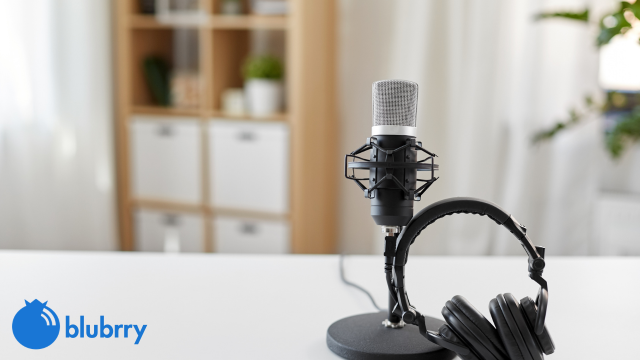
When you’re ready to upgrade, a basic USB microphone is a good place to start. It plugs directly into your computer, so you don’t need to buy an audio interface just to use it.
A few things to keep in mind:
- USB microphone: A practical choice for solo podcasters and beginners who want a straightforward setup.
- Headset microphone: Useful if you already own one and want to start without buying more equipment.
- XLR microphone: Worth considering if you want more control over your setup or plan to record several people in person.
Don’t feel pressured to buy the same microphone your favorite podcaster uses. Find something that works for your voice, your recording space, and your budget.
3. A Quiet Place to Record
You don’t need a professional studio to record a good podcast. In fact, you might already have a suitable place at home.
A quiet bedroom, home office, or room with curtains and furniture can work well. Soft furnishings help absorb sound and reduce the echo you often hear in empty rooms.
Before spending money on soundproofing or acoustic panels, try a few simple things:
- Close the windows if there’s traffic or noise outside.
- Turn off fans and noisy appliances when possible.
- Avoid recording in empty rooms with lots of echo.
- Keep your microphone close enough to pick up your voice clearly.
- Record a short test and listen to it before starting your episode.
Small changes can make a noticeable difference.
If your recording sounds clear and your listeners can understand you without struggling, there’s no reason to spend money on a dedicated studio just yet.
4. Recording and Editing Software
You’ll need a way to record your episodes and make a few edits before publishing them.
The good news is that you can start with free software. You don’t need a professional editing suite or a complicated setup to produce a podcast people enjoy listening to.
Look for a tool that lets you record your voice, cut out mistakes, adjust volume, and export your finished audio.
If you’re hosting a solo show, the process can be pretty simple. Record your episode, remove any major mistakes, listen through once, and save the finished file.
Interview podcasts may need a little more attention, especially when recording guests remotely. In that case, look for a tool that captures each speaker clearly and makes it easy to work with the recordings afterward.
You can learn more advanced editing techniques later. For now, focus on making your episodes clear and easy to follow.
5. Podcast Hosting
Once you’ve recorded an episode, you’ll need somewhere to publish it.
Podcast hosting stores your audio files and provides an RSS feed that helps distribute your episodes to podcast directories and listening apps. Depending on your host, you may also get access to listener statistics, a podcast website, an embeddable player, and other publishing tools.
This is different from simply uploading an audio file to your website. Your podcast needs a way to distribute new episodes and keep them available to listeners across different platforms.
Blubrry offers podcast hosting and tools to help you publish and manage your show. The right plan depends on how much content you produce and which features you need.
If you’re starting with one podcast, keep things simple. Choose a hosting plan that fits your show today rather than paying for features you might never use.
6. Podcast Cover Art and a Description
Your podcast also needs a name, cover art, and a description so people know what they’re listening to.
You don’t have to hire a designer or spend weeks working on your branding before launching. Free design tools can help you create cover art, and you can refine it as your show develops.
At the very least, prepare these three things:
A podcast name. Choose something relevant to your topic and easy for people to remember.
Cover art. Make sure the design is clear and recognizable, even when it’s displayed as a small image on a phone.
A podcast description. Tell people what your show is about, who it’s for, and what they can expect from your episodes.
You’ll also want to give each episode a useful title and description. These help potential listeners decide whether an episode is worth their time.
You can spend more time on branding later. Your first priority is making it clear what your podcast offers.
7. Do You Need Video Gear for Your Podcast?
Not every podcast needs video.
Video can help people discover your show on YouTube and other platforms, but it also adds a few things to think about. You’ll need to consider camera placement, lighting, video editing, and how you’ll manage the extra files.
If you’re starting an audio podcast, you can skip all of that.
If you want to record video, start by looking at what you already have. A smartphone with a decent camera, a stable surface to set it on, and a room with good natural light may be enough for your first few recordings.
You can invest in a dedicated camera, better lighting, or other accessories once you know what you need.
Still wondering whether you need to buy video equipment before launching your podcast? We’ve got a video that can help.
Watch our latest video: Do You Need Video Gear for Your Podcast?
[Dave’s video here]
Check out our latest video, Do You Need Video Gear for Your Podcast?, to learn more about recording video for your show and deciding which equipment is worth buying.
8. A Schedule You Can Stick To
Here’s something that doesn’t get talked about enough when people discuss podcast equipment: you need a plan for making episodes regularly.
It’s easy to get excited about starting a podcast, but recording, editing, writing descriptions, and promoting each episode all take time. If you try to do too much from the beginning, keeping up with your show can become a chore.
Think about how often you can realistically publish. A weekly schedule might work for you, or you might prefer to release an episode every other week.
There’s nothing wrong with starting small.
You can also make your workflow easier by preparing a few episode ideas in advance, keeping your recording setup ready, and using the same basic editing process each time.
The goal is to find a routine you can maintain. You can always change your schedule as your podcast grows.
What Podcast Equipment Can Wait?
Once you start looking at podcast gear, it’s easy to find something else you think you need. But some equipment is better saved for when you have a specific reason to buy it.
| Equipment or tool | Do you need it right away? |
|---|---|
| Expensive studio microphone | No. Start with a microphone you already own or an affordable USB model. |
| Audio interface or mixer | Usually not for a basic solo setup with a USB microphone. |
| Professional camera | No. You can start with audio or use your phone for video. |
| Studio lighting | Not if you’re only recording audio. Natural light may be enough for basic video. |
| Acoustic panels | Not necessarily. Try recording in a quieter, furnished room first. |
| Paid editing software | No. Free tools may cover everything you need at the beginning. |
| Music and sound effects subscriptions | Optional. You can make a good podcast without elaborate production. |
| Multiple microphones | Only if your recording format calls for them. |
| Premium headphones | Helpful for monitoring, but you can start with a decent pair you already own. |
None of these tools is bad to have. They can be useful, especially as your show grows. The point is that you don’t have to buy everything before you begin.
When you’re deciding whether to purchase something, ask yourself whether it solves a problem you’re actually experiencing. If it doesn’t, your money may be better spent elsewhere.
How Much Does It Cost to Start a Podcast?
There’s no single price tag for starting a podcast. Your costs depend on what you already own, how you plan to record, and which hosting features you need.
If you have a computer or smartphone, a quiet place to record, and a usable microphone, you may not need to spend anything on equipment right away.
If you want to put together a basic setup, an affordable USB microphone is a reasonable first purchase. You can continue using free recording and editing software while you learn the process.
As your podcast grows, you can decide whether you need better audio equipment, video gear, paid editing tools, or other services.
You don’t have to buy everything in one go. In fact, waiting until you understand your needs can help you avoid spending money on equipment that doesn’t make much difference to your show.
Start Your Podcast With What You Have
You can spend weeks comparing microphones, researching cameras, and planning your studio. Or you can start with what you have, record your first episode, and learn from the experience.
Your first recording might not sound perfect. You might need to adjust your microphone, change rooms, or try a different editing tool. That’s normal.
You’ll get a better sense of what your podcast needs once you’ve actually started making episodes. Some upgrades will make a real difference. Others might not be worth the money.
Focus on having a clear topic, understandable audio, a simple recording process, and a reliable way to publish your show. Everything else can come later.
Ready to get your podcast out there?
Blubrry provides podcast hosting and tools to help you publish and manage your show. Take a look at our podcast hosting plans and find an option that works for you.
You don’t need a perfect setup to start a podcast. You just need to start.