Video Podcasting
Explore whether video is right for your show, how it fits into podcasting, and how Blubrry is preparing creators for the future of audio and video publishing.

Audio-first, video-ready podcasting
Is Video Right for Your Podcast?
Podcasting has always been about connection — and for some creators, video can add another layer to that connection.
A video podcast gives your audience the option to watch your show, see your personality, catch visual moments, and engage with your content in more places. But video is not required to have a successful podcast. Many of the most effective, trusted, and long-running podcasts are still audio-first.
The right format is the one that supports your content, your audience, and your workflow.
Our tools help creators publish in the way that works best for them — whether that’s audio-only, video-first, or somewhere in between.
Ready to explore video podcasting?
Blubrry can help you build a podcast workflow that works for your content, your audience, and your goals.
Breakin’ Down Video Podcasting
What is a Video Podcast?
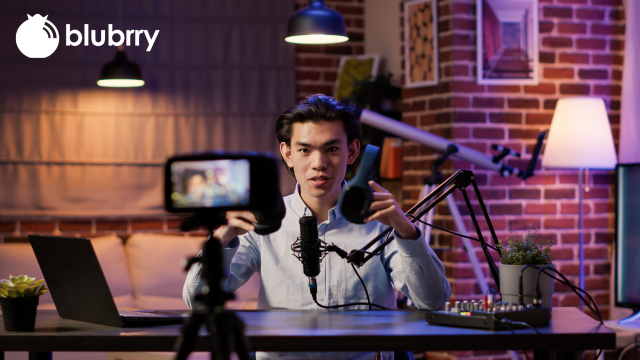
A video podcast is a podcast episode that includes a video along with the audio experience. For some shows, that means a full studio-style recording. For others, it may be a simple camera setup, a remote interview recording, or video clips used for social media promotion.
Video podcasts can be especially useful for:
- Interview-style shows
- Educational or tutorial content
- Commentary and reaction shows
- Brand, business, or thought leadership podcasts
- Creators who already record video for YouTube, webinars, or social media
- Shows where visuals, demonstrations, or screen sharing add value
Video does not automatically make a podcast better. A strong concept, consistent publishing, good audio, and a clear audience still matter most.
A video podcast is a podcast episode that includes a video along with the audio experience. For some shows, that means a full studio-style recording. For others, it may be a simple camera setup, a remote interview recording, or video clips used for social media promotion.
Video podcasts can be especially useful for:
- Interview-style shows
- Educational or tutorial content
- Commentary and reaction shows
- Brand, business, or thought leadership podcasts
- Creators who already record video for YouTube, webinars, or social media
- Shows where visuals, demonstrations, or screen sharing add value
Video does not automatically make a podcast better. A strong concept, consistent publishing, good audio, and a clear audience still matter most.
Do You Need Video to Grow?
No. Video can help some podcasters reach new audiences, create social clips, and give listeners another way to engage. But it also adds more work. Recording, lighting, editing, file management, storage, captions, and publishing can all take extra time.
Before starting a video podcast, ask yourself:
- Will video make the content more useful or engaging?
- Do I have the time to manage a video workflow?
- Can I stay consistent with video episodes?
- Would my audience actually benefit from watching?
- Could I start small instead of changing everything at once?
- Will video clips help my social media presence and discovery?
For many podcasters, audio should remain the priority. Great audio is still the foundation of podcasting.
No. Video can help some podcasters reach new audiences, create social clips, and give listeners another way to engage. But it also adds more work. Recording, lighting, editing, file management, storage, captions, and publishing can all take extra time.
Before starting a video podcast, ask yourself:
- Will video make the content more useful or engaging?
- Do I have the time to manage a video workflow?
- Can I stay consistent with video episodes?
- Would my audience actually benefit from watching?
- Could I start small instead of changing everything at once?
- Will video clips help my social media presence and discovery?
For many podcasters, audio should remain the priority. Great audio is still the foundation of podcasting.
A Practical Way to Start with Video
Video podcasting works best when it supports your show rather than distracting from it.
You do not have to launch a full video production overnight. Many podcasters begin with a simple workflow and improve over time.
You could start by:
- Recording your normal podcast with video turned on
- Publishing short video clips to social media
- Testing video with one episode or one series
- Using a simple camera, webcam, or remote recording platform
- Keeping your audio feed as the primary podcast experience
- Watching how your audience responds before investing more time
Audio-First, Video-Ready
One of the biggest questions podcasters have is whether they should switch from audio to video.
The answer is: you don’t have to choose one forever.
Many successful shows are audio-first with optional video. Others use video heavily on YouTube or social platforms while still distributing the audio podcast through RSS. Some creators may eventually publish both full video episodes and audio versions.
Blubrry’s goal is to support podcasters as these options grow. Whether you want to keep your show audio-only or experiment with video, your podcast should remain flexible, portable, and built around your content.
Video Podcasting and Apple Podcasts
Apple Podcasts is expanding support for video podcasting through HLS, or HTTP Live Streaming. HLS allows video to stream more smoothly and adjust playback quality based on the listener’s connection. HLS video podcasts still keep podcast metadata controlled through the creator’s main RSS feed, while the HLS video experience enables video delivery in Apple Podcasts.
Blubrry is working with Apple Podcasts as this technology develops, and we will continue updating our tools as Apple and other podcast platforms expand support for video streaming.
For podcasters, this means video publishing is becoming more flexible. The podcast RSS feed remains important, while new video delivery methods may give creators more ways to reach audiences without abandoning the podcasting ecosystem. Learn more about HLS from Apple here.
What to Consider Before Starting a Video Podcast
Production Time
Video usually takes longer to produce than audio. You may need extra time for setup, editing, exporting, uploading, and quality checks.
File Size and Storage
Video files are much larger than audio files. This can affect upload time, storage needs, and publishing workflows.
Recording Setup
You do not need a professional studio, but lighting, camera placement, background, and internet quality can affect the final result.
Editing Workflow
Video editing often takes more time than audio editing. Even basic edits may require more attention to timing, visuals, and file exports.
Audience Habits
Some prefer to listen while driving, working, walking, or doing chores. Others enjoy watching interviews, tutorials, or clips. Your audience may want both.
Consistency
A simple, repeatable video workflow is better than an overly complicated setup that keeps you from publishing regularly.
When Video Podcasting Makes Sense
Video may be a good fit if:
- Your show includes interviews or conversations where seeing the people adds value
- You already record video and want to do more with it
- You want more content for social media clips
- Your topic benefits from visuals, demonstrations, or screen sharing
- Your brand or business benefits from face-to-camera trust building
- You have the time and resources to manage video consistently
Video may not be the best fit right now if:
- Your current audio workflow is already hard to maintain
- Your audience primarily listens on the go
- Your topic does not benefit from visuals
- You do not have time for extra editing or production
- You feel pressured to do video only because others are doing it
There is nothing wrong with staying audio-only.
Start Where You Are
You do not need to rebuild your podcast from scratch to try video.
Start with your show’s goals. Think about your audience. Consider the time you can realistically commit. Then decide whether video supports the podcast you already want to make.
Whether your podcast is audio-only, video-ready, or fully visual, Blubrry gives you tools to publish, manage, and grow your show your way.
Ready to explore video podcasting?
Blubrry can help you build a podcast workflow that works for your content, your audience, and your goals.