This guide walks through connecting Apple Podcasts Connect to Blubrry and publishing your first HLS video episode.
With Blubrry, HLS video publishing is automatic. You upload your video file once, and Blubrry:
- Generates the HLS video stream for Apple Podcasts
- Creates an MP3 audio version for apps that don’t support HLS video
- Publishes both the HLS video, original video and the MP3 enclosure in the same RSS feed
Apple Podcasts uses the HLS stream. Other podcast apps either play the HLS video (if they support it) or automatically fall back to the MP3 enclosure. You only need to manage one feed and one upload per episode.
1. Get Your Apple Podcasts Connect API Key
Before Blubrry can publish HLS video to Apple Podcasts, you need to generate an API key from Apple and upload it to Blubrry.
- Log in at podcastsconnect.apple.com.
- In the top menu, click Account.
- Click API Keys.
- Click the purple + button to create a new key.
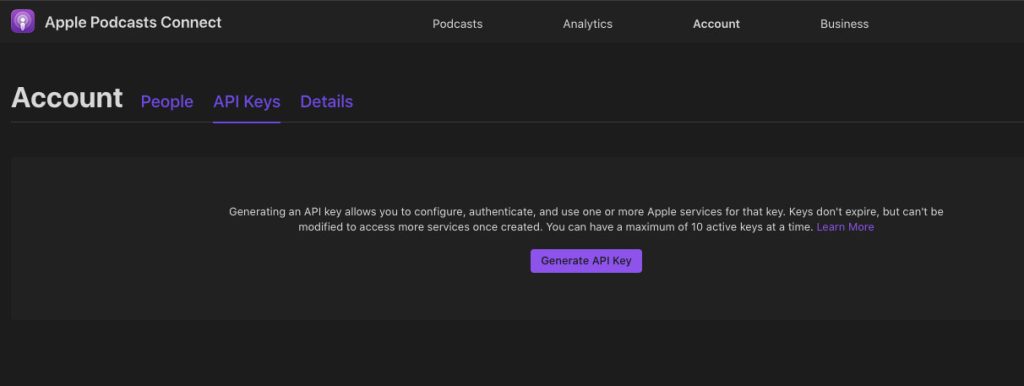
- Give the key a name. This can be anything — it’s just for your own organization.
- Click Download to save the key file.
- You’ll receive a file with a random string of letters and numbers, ending in .pem. Keep track of where this is saved — you’ll need it in the next step.
2. Upload Your API Key to Blubrry
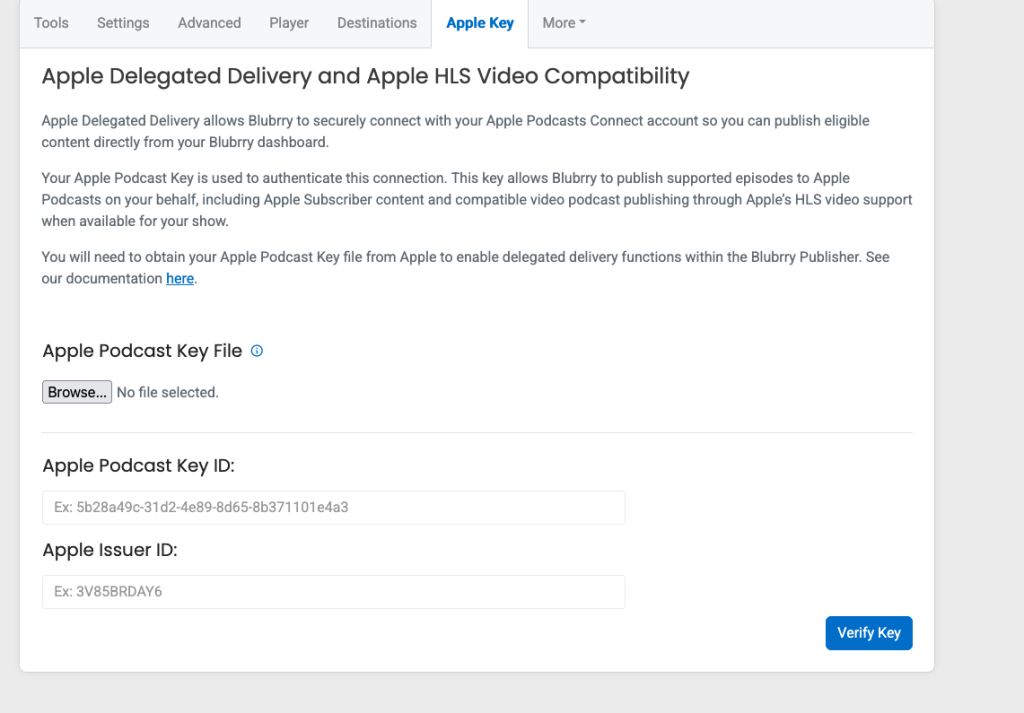
- In Blubrry’s dashboard, go to Show > Manage.
- Click More in the top menu.
- Click Apple Key.
- Upload your .pem key file and verify it there.
Once verified, your Blubrry account is connected to Apple Podcasts Connect.
3. Ask Apple Podcasts to Enable HLS
After submitting your Apple Key to your Blubrry account, you will need to contact Apple Podcasts to have them enable HLS for your account. To do this:
- Log in to your https://podcasters.apple.com account then go to https://podcastsconnect.apple.com/contact-us and completely fill out the form.
- Set the Topic field to HLS Video and ask them to enable HLS for your show.
4. Publish an HLS Video Episode
With your API key connected, publishing a video episode works the same way as publishing a regular episode:
Upload your video file (mp4) to Blubrry as you normally would for a new episode.
- Blubrry automatically creates the HLS stream formatted for Apple Podcasts. (You should only use 1080p full-HD video. 4K will not be accepted.)
- Blubrry automatically generates an MP3 version of the episode for audio-only apps.
- Both the HLS video, original video file, and the MP3 audio enclosure are included in the same RSS feed. No extra steps needed.
- Publish the episode as usual.
There will be some processing time before the video goes live on Apple Podcasts. Give it at least 50% of the length of your episode for processing.
Once published, Apple Podcasts will pull the HLS stream, while other podcast apps will either play the HLS video (if supported), the original video file or use the MP3 enclosure.
Quick Checklist
- Apple Podcasts Connect API key generated
- .pem key file uploaded and verified in Blubrry under Show > Manage > More > Subscriptions
- Video episode uploaded to Blubrry
- Episode published and feed confirmed live